Build Your First Real App · Marketplace edition
Build Northstar, a practice shopping app, with AI assistance and Ruby on Rails. This written beginner course helps you turn an idea into small requests, understand the changes and check each feature before moving on.
Follow a 120-page PDF with prompts, reference code, checkpoints and a visual reference kit. You build the Rails application yourself, including product browsing, search, a cart and simulated checkout.
One-time purchase · instant download. AI tools, hosting, and domains are billed separately by those providers.
For curious beginners. Allow several weeks of short sessions.
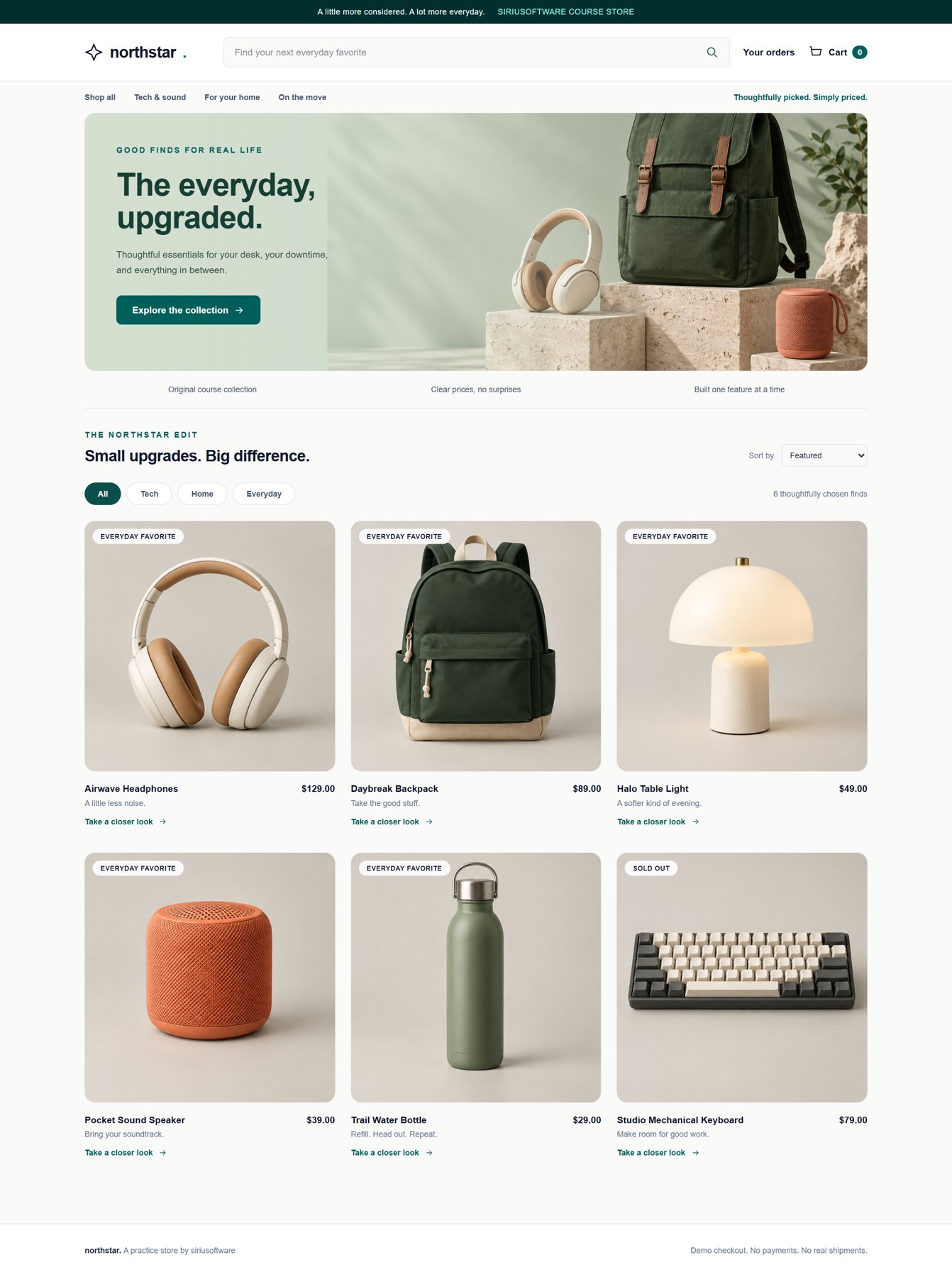
A project you can picture
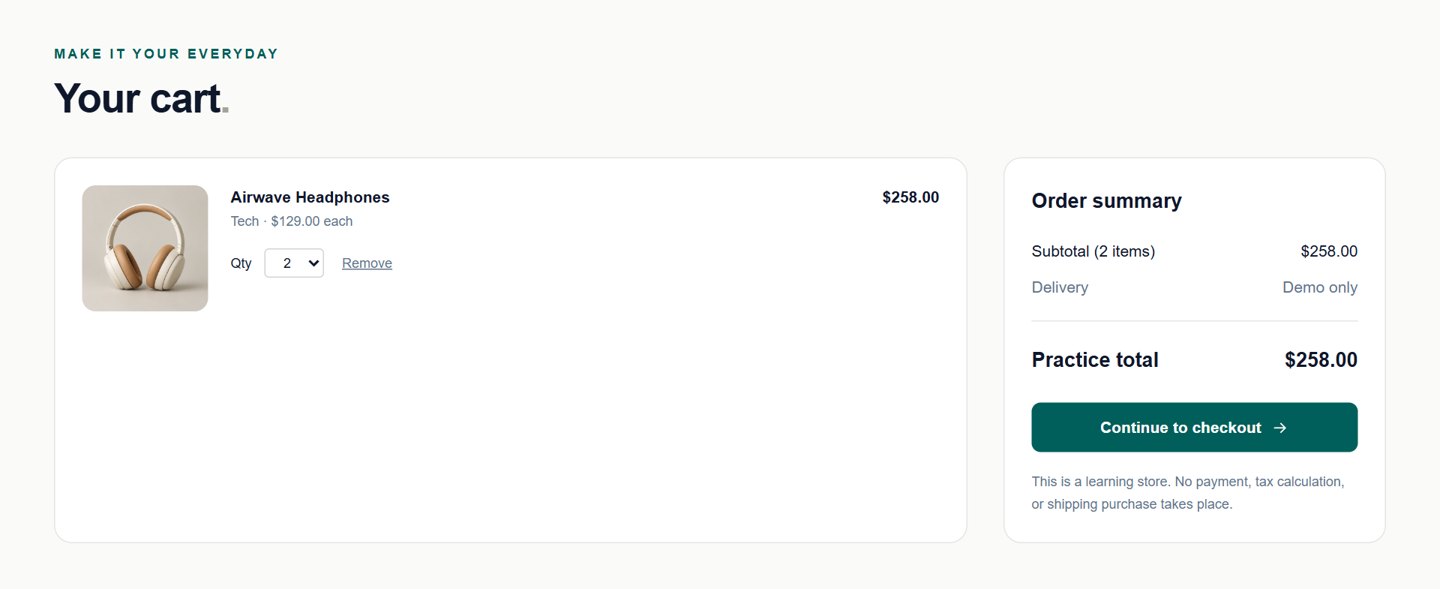
Screenshots show the companion prototype. Orders and worker states are simulations. The course teaches practice checkout; it does not include real card payments, tax, shipping, or a finished Rails app.
Your learning path
Each build lesson gives you a goal, a prompt, reference code, and a checkpoint. You practice the same review a senior engineer uses on a junior’s pull request — including when the author is a model.
You’ll need a computer, an editor, and access to a code-aware AI assistant. Windows setup uses WSL. AI tools, hosting, and domain charges are separate from the course.
You describe a small feature to an AI coding assistant, review its proposed changes and check the result. You also learn the Rails concepts behind the app so you can explain what you are building. A working-looking screen is a starting point: the course asks you to test behavior and save a version you understand before adding another feature.
Prompting, software basics, workspace setup, and source control · pp. 10–34
Design, catalog, interactions, cart, and practice checkout · pp. 35–59
Background jobs and a debugging workshop · pp. 60–95
Deployment, AWS, maintenance, and your next project · pp. 96–115
A free lesson · from page 11
A short request can be precise. A long request can still be vague. “Modern, beautiful, clean” describes your taste, but leaves the layout and behavior for the assistant to guess.
“Make the product page really premium and super user friendly.”
“Improve only the product detail template. Put the square product image on the left and the title, price, stock, quantity, and Add to cart form on the right at desktop widths. Stack them on small screens. Use the existing teal action color, visible input labels, and a disabled sold-out button. Keep controller and model behavior unchanged. Show the page at 390px and 1440px widths.”
Why it works: The improved prompt turns taste into decisions the browser can demonstrate. It also makes an unrelated backend rewrite easier to reject.
Ask for two layout suggestions in prose before changing code. Choose one, implement it, and compare the result at the same viewport size. Can you explain what changed?
Adapted from “Specific does not mean enormous,” Build Your First Real App, Marketplace Edition, page 11.
Before you start
No. You do not need a computer-science degree, but you will use an editor, read explanations, and take responsibility for what ships. The course teaches how to judge AI output — not how to avoid looking at code.
A 120-page PDF and the Northstar visual reference kit: a browser prototype, screenshot references, and the editable manuscript. This is a self-paced reading and building course, not a video course or a finished Rails app.
A computer running macOS, Ubuntu, or Windows with WSL; a code editor; and access to a code-aware AI assistant. The course walks through Rails, PostgreSQL, Tailwind, Stimulus, and Git setup.
Your AI assistant, hosting, domain, and other third-party services may have separate charges. They are not included in the course price. Check your chosen providers before signing up.
Plan on several weeks of short sessions. Setup may take an evening. Progress is organized around working checkpoints, not a guaranteed weekend finish.
No. The core project records practice orders without collecting cards. Real payments, tax, shipping, and seller accounts are later extensions, not completed course features.
The kit is a browser prototype and design reference. Its order and worker states are simulations. You integrate the Rails reference examples into your own app and run the supplied checks; the kit is not a deployable Rails application.
After payment, download the archive from the confirmation page. A download link is also sent by email. Links last 30 days and allow 25 downloads; save a local copy for continued access.
Get the course
Start small, learn what the code does, and keep a version you can explain.
Want help building it?
Build it yourself
Learn how a professional engineer uses AI: requirements, review, tests, and code you can own.
Get the courseBuild it with us
Bring the project. We’ll inspect the code, set the next check, and leave you able to continue.
Request a consultHave us build it
A fixed-scope site, tool, or product — with published pricing and code you own.
View website servicesThe first screen arrives quickly. Then every fix touches three files you did not mean to open. That is not a personal...
Read article →I do not ask an assistant whether the change is good. I ask it to show the request, the files, and the check. Then I ...
Read article →You have something worth showing. Now you need to decide whether to keep learning, narrow the project, or bring in a ...
Read article →